Audio description software.
From the first cue to delivery.
Find out how Narracue supports preparation, writing, narration and review — while keeping the creative decisions with the audio describer.
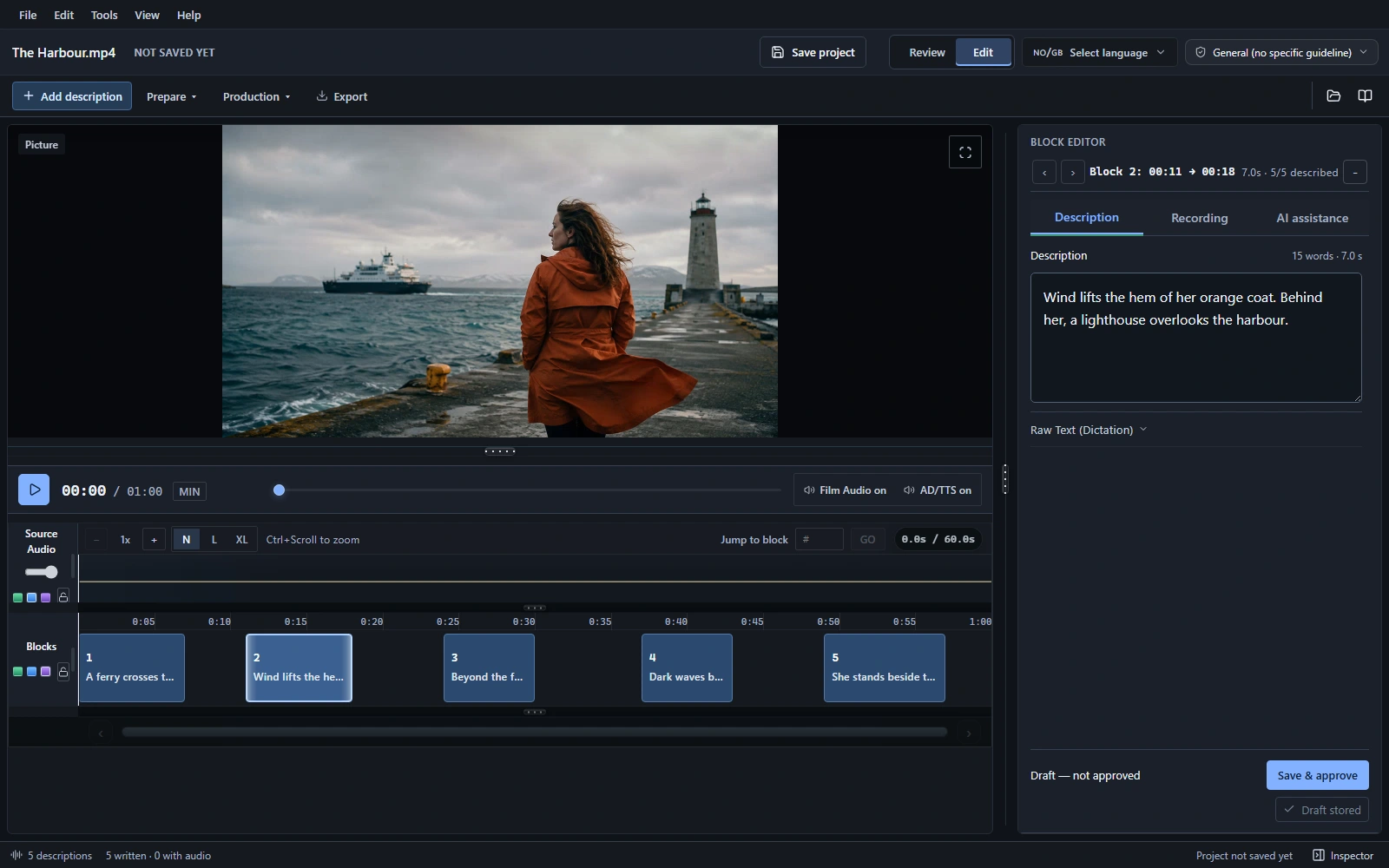
What is Narracue?
Narracue is desktop audio description software for professional audio describers and production teams. It brings the film, timed description blocks, writing, narration, audio ducking and review into one workspace. It is coming soon for Windows and Mac.
What is audio description?
Audio description is narration that communicates visual information to people who are blind or have low vision. In a film, descriptions are timed around dialogue and important sounds. The writer chooses which actions, expressions, settings and other visual details help the audience follow the story.
How does Narracue reduce manual preparation?
Narracue can find dialogue gaps and create timed description blocks. You can adjust their timing, add new blocks or remove them. A detected gap is a starting point: the audio describer decides whether it should contain narration or remain open for the soundtrack.
Does Narracue write the descriptions automatically?
AI drafting is optional. It can suggest a first draft using scene context, which you can edit and approve. You can also write every description yourself. The final wording, relevance and fit with the film remain editorial decisions.
Can I record my own voice?
Yes. You can record your own narration or use optional synthetic speech. Listen to the narration with the film, check its duration against the available time and refine the wording or delivery before approving it.
Can I control the audio mix?
Automatic ducking lowers the film audio under narration. You can adjust levels and transitions so that dialogue, music and important sounds retain their impact. When a mix is not required, export an AD-only timed narration track instead.
What does the review queue check?
The review queue helps identify unapproved text, missing audio and timing issues. These checks support the production process; they do not replace a final listen or the audio describer’s judgment about accuracy, language and the film’s rhythm.
What can I deliver for cinema or another production workflow?
Narracue can export a mixed track or a separate AD-only timed track, with silence between narration cues. It also exports timecoded scripts. The required output depends on the client and playback system; confirm their specifications before delivery.
See audio formats, loudness settings and script exports →Does Narracue require AI subscriptions or API keys?
Manual writing, recording, ducking and export work without an AI key. Optional AI features use supported external providers with your own API key. Relevant content is sent to the provider when you use those features, and provider usage is billed separately.
When will Narracue be available?
Narracue is coming soon for Windows and Mac. Neither version is available to download yet. A release date has not been announced.
How much does Narracue cost?
Launch pricing has not been announced. Optional external AI providers bill their usage separately.
Explore the workspace. Narracue is coming soon for Windows and Mac.